Set up your profile
The profile is the yardstick: every score and every tailored CV is measured against it. Fill it once, honestly; update it as your search teaches you things.
What to fill in
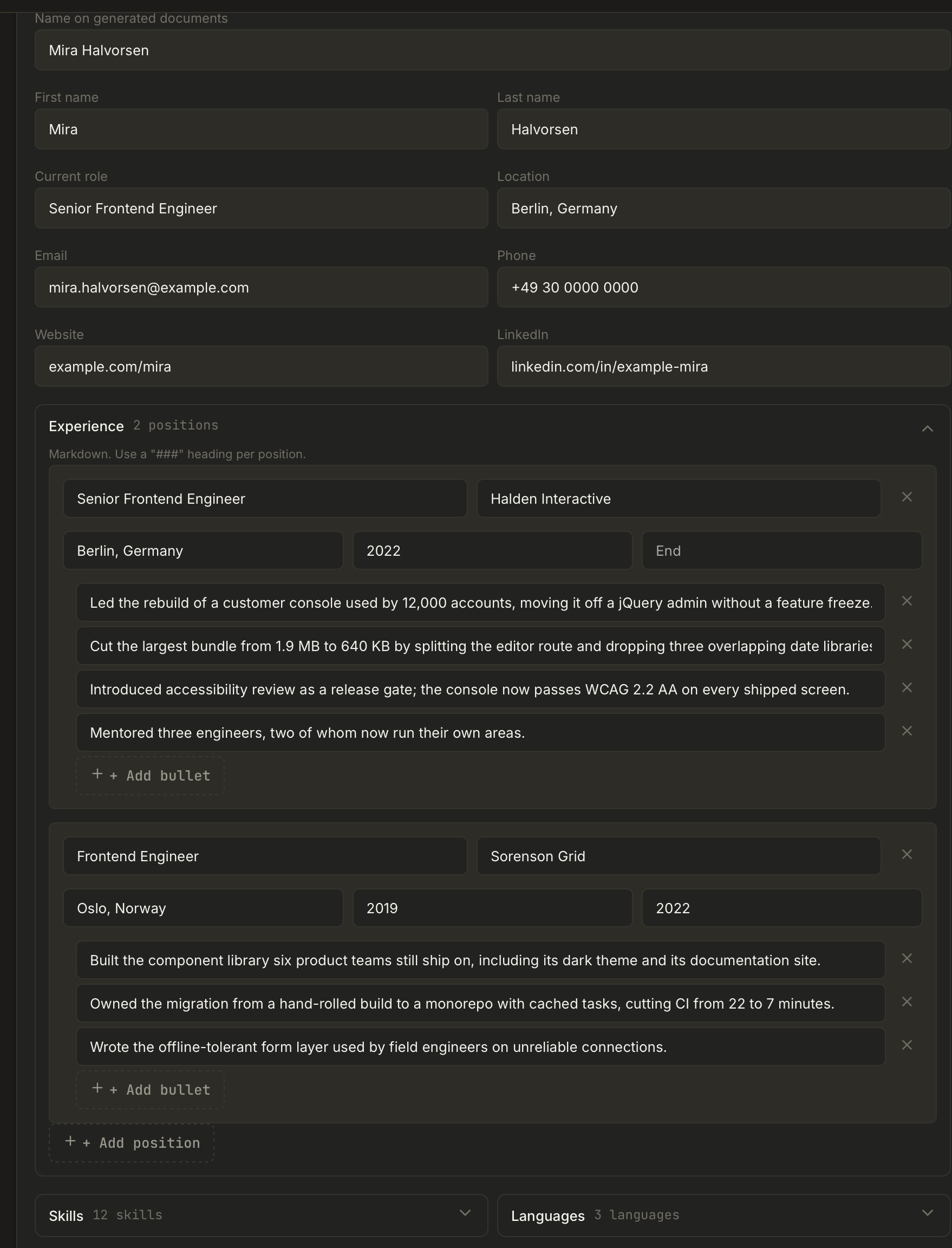
The profile is a structured form: Experience, Skills, Languages and Education are separate sections with real fields, not one free-text box. Contact details (name, email, phone, location) flow straight into generated documents, so fill them once and correctly.
Specifics beat adjectives everywhere in this form. "Cut p95 checkout latency from 900ms to 260ms" is material a tailoring pass can reuse; "results-driven professional" is not.
If you would rather not type it all: paste your existing CV text and hit Parse text. One AI call turns free text into structured fields and shows you a Recognized profile preview, with a "please double-check" list of anything it was unsure about. Nothing is written until you press Apply to form; you can discard the whole thing instead. Importing a PDF or DOCX CV outright is also possible from the Dashboard's Import CV action.
Target roles (archetypes)
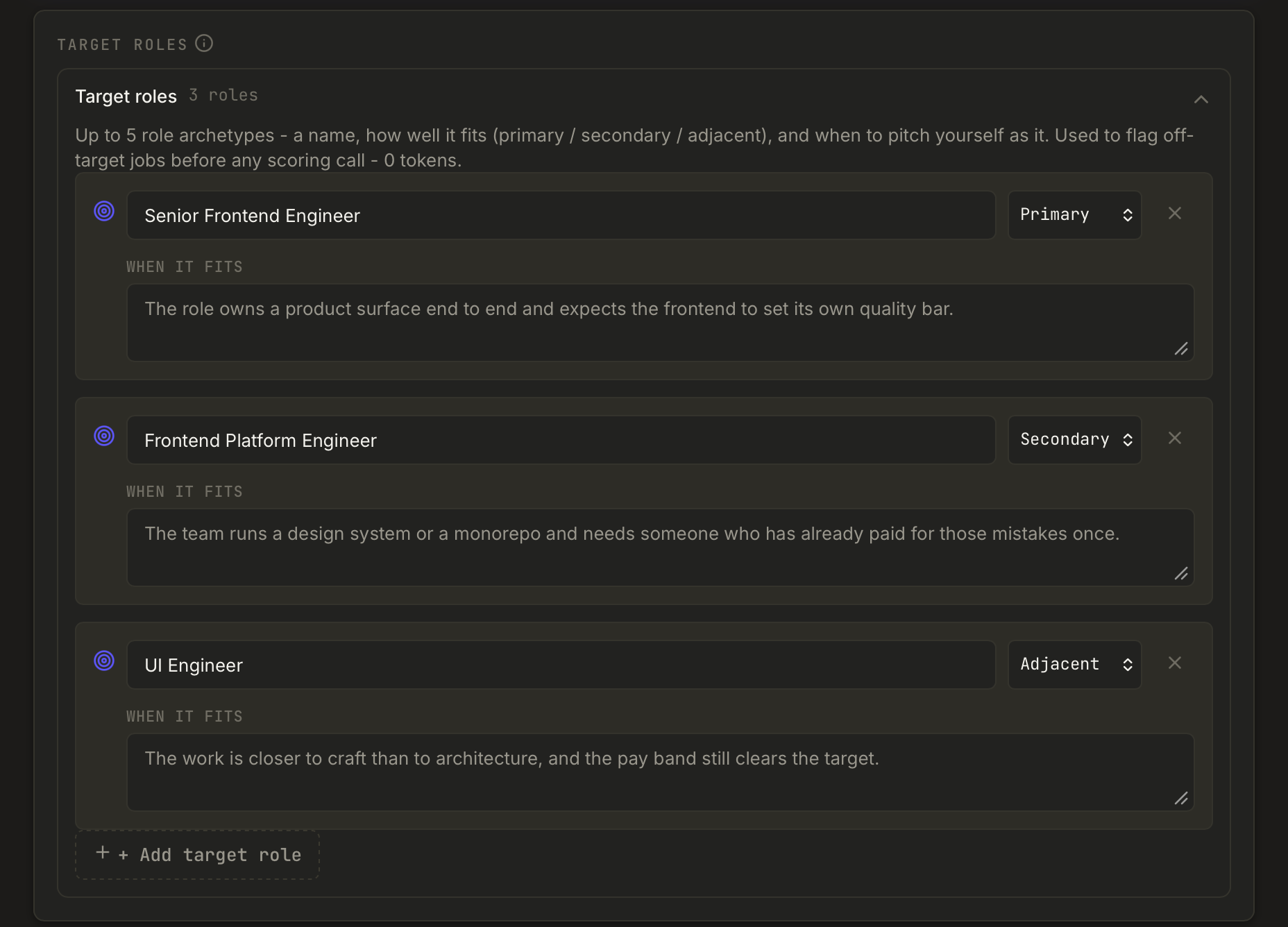
Up to five short descriptions of positions you would actually accept. Each one has three parts:
- Role - the name, as concrete as you can make it.
- Fit - primary, secondary, or adjacent. This is the tier that shows up as a badge on every Discover row.
- When it fits - the situation in which you would pitch yourself as this.
Target roles do real work at zero token cost: they flag off-target jobs before any AI is called, they feed the archetype-fit badges and the For-you ordering in Discover, and they seed Discover's default keyword filters. Matching is anchored on distinctive words, so a generic word like "engineer" alone never produces a match. With no target roles defined, no badge is shown at all rather than a guessed one.
Compensation target
Set your target salary range (gross) and Applye compares every posting that states pay against it, showing one of three badges: Above your target, In your range, or Below your target. Postings with no stated salary say exactly that instead of guessing. The comparison is plain arithmetic - no AI, no tokens.
The two AI tools on this page
- Scoring profile - an AI-condensed version of your profile used by the recruiter check. A freshness chip tells you when it is stale (you edited your profile after generating it); hit Regenerate to update. Jobs scored against an old version get a "score is stale" prompt on the Dashboard.
- Pitch - a short self-presentation draft you can regenerate and reuse.
You can also import a CV as a PDF (Dashboard quick action) to seed the profile instead of typing from scratch. AI setup itself lives in Settings.