Score a role
The recruiter check is the first AI feature you will meet: a blunt read of the role against your profile, before you spend an evening on it.
Running the check
- Open the job's detail page from My Jobs.
- Click Score this job. One opt-in call runs; the result is cached.
- You get a percentage match gauge, a per-dimension breakdown, the keywords you are missing, red flags a screener would catch, and "before you submit" notes.
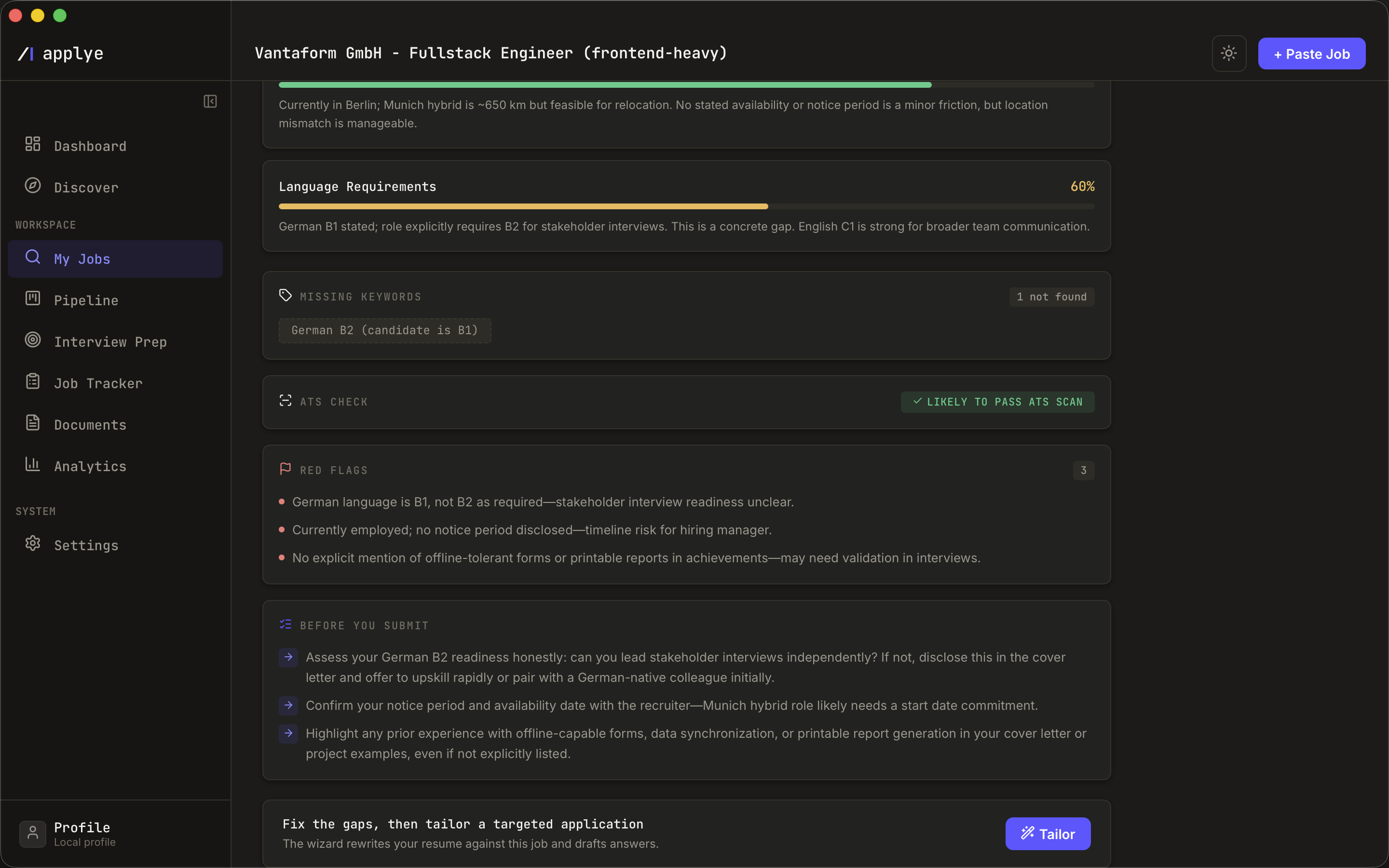
Reading it
Identical inputs never pay twice: the score is cached by job and profile hash. If you later edit your profile and regenerate the scoring profile, affected jobs are flagged stale so you can re-score deliberately. How the rubric works is documented in the methodology; how to interpret bands is in Reading the recruiter check.