Tailor the CV and export a PDF
The apply wizard takes a scored job and produces documents you actually reviewed. It ends with a PDF and a tracked application - never with an automatic submission.
The wizard, step by step
- Tailor - pick the base (your profile, or the job's existing tailored CV) and run the multi-pass adaptation: an XYZ rewrite, a dual critique, a clean build. A Cancel button stops it between passes.
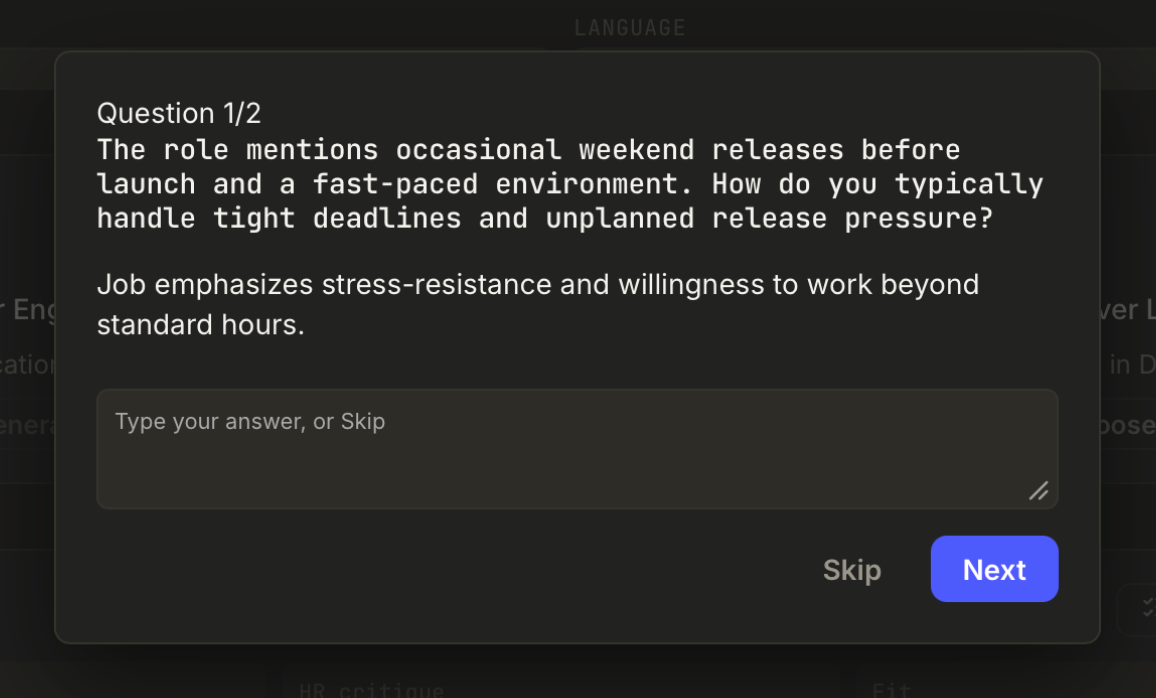
- Gap questions - before generating, the AI may ask up to five targeted questions about things the job needs and your CV does not show (a language level, a framework). Answer or skip each; optionally save answers to your profile. Honesty rule: it asks you instead of inventing.
- Review documents - generate the tailored CV and, if you want one, the cover letter. "Review" opens the rendered document first; edit anything. Documents stay drafts, invisible in the library, until you export or mark applied.
- Updated score / final checks - see the fit after tailoring, run the final check.
- Export & Apply - save the PDF via the native save dialog, then Create application (or Update, on a re-tailor). You open the posting and submit yourself; Applye records the application and files the documents into the Documents library, labelled by company and role.
One document per job: regenerating updates the same library entry instead of stacking duplicates. An unfinished wizard session is remembered - a "Finish tailoring" button brings you back to the exact step. Next: track the application.